


Building a Mod in IntelliJ IDEA 1.21.11
Learn how to use IntelliJ IDEA to build a Minecraft mod that can be shared or tested in a production environment.
WARNING
This page is written for version 1.21.11. Documentation for older versions may be incomplete.
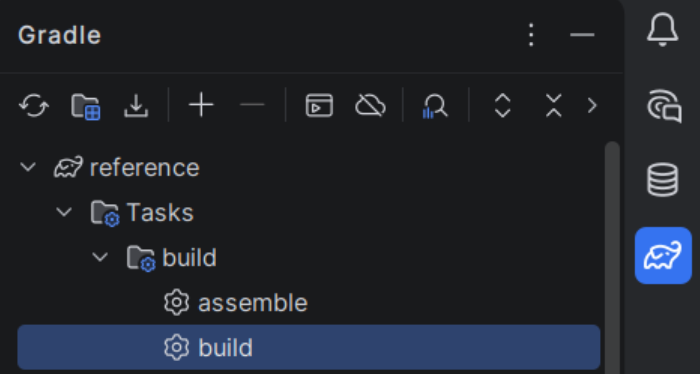
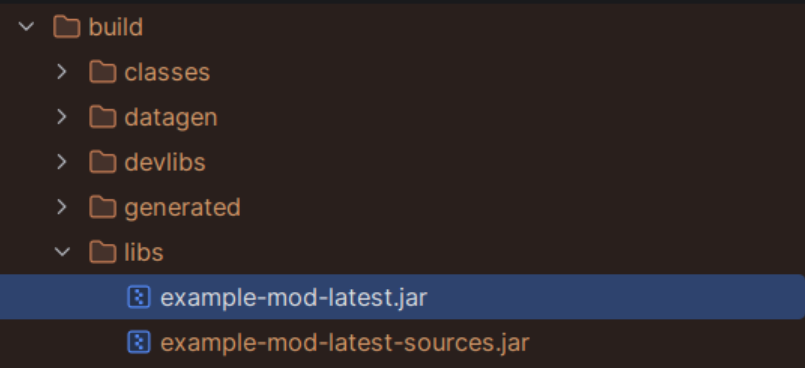
In IntelliJ IDEA, open the Gradle tab on the right and execute build under tasks. The JARs should appear in the build/libs folder in your project directory. Use the JAR file with the shortest name outside development.
Installing and Sharing
From there, the mod can be installed as normal, or uploaded to trustworthy mod hosting sites like CurseForge and Modrinth.