Rendering in the World 26.2
Create and use custom render pipelines when vanilla pipelines don't suit your needs.
PREREQUISITES
Make sure you've read Rendering Concepts first. This page builds on those concepts and discusses how to render objects in the world.
This page explores some more modern rendering concepts. You'll learn more about the two split phases of rendering: "extraction" (or "preparation") and "drawing" (or "rendering"). In this guide, we will refer to the "extraction/preparation" phase as the "extraction" phase and the "drawing/rendering" phase as the "drawing" phase.
To render custom objects in the world, you have two choices. You can inject into existing vanilla rendering and add your code, but that limits you to existing vanilla render pipelines. If existing vanilla render pipelines don't suit your needs, you need a custom render pipeline.
Before we get into custom render pipelines, let's look at vanilla rendering.
The Extraction and Drawing Phases
As mentioned in Rendering Concepts, recent Minecraft updates are working on splitting rendering into two phases: "extraction" and "drawing".
All data needed for rendering is collected during the "extraction" phase. This includes, for example, accessing world data. Note that even though many methods are prefixed with draw or render, they should be called during the "extraction" phase. You should add all elements you want to render during this phase.
When the "extraction" phase is done, the "drawing" phase starts, and the buffered builder is built. During this phase, the buffered builder is drawn to the screen. The ultimate goal of this "extraction" and "drawing" split is to allow for drawing the previous frame in parallel to extracting the next frame, improving performance.
Now, with these two phases in mind, let's look at how to create a custom render pipeline.
Custom Render Pipelines
Let's say we want to render waypoints, which should appear through walls. The closest vanilla pipeline for that would be RenderPipelines#DEBUG_FILLED_BOX, but it doesn't render through walls, so we will need a custom render pipeline.
Defining a Custom Render Pipeline
We define a custom render pipeline in a class:
java
private static final RenderPipeline FILLED_THROUGH_WALLS = RenderPipelines.register(RenderPipeline.builder(RenderPipelines.DEBUG_FILLED_SNIPPET)
		.withLocation(ExampleMod.id("pipeline/debug_filled_box_through_walls"))
		.withDepthStencilState(Optional.empty())
		.build()
);Extraction Phase
We first implement the "extraction" phase. We can call this method during the "extraction" phase to add a waypoint to be rendered.
java
private WaypointRenderState waypointState;

private void extractWaypoint(LevelExtractionContext context) {
	// Access data from the world or anything here in the extraction phase.
	// You can only access the (immutable and thread safe) render state in the drawing phase.
	this.waypointState = new WaypointRenderState(0, 100, 0, 0f, 1f, 0f, 0.5f);
}

// Render states should be immutable, thread safe, and fast to create.
private record WaypointRenderState(int x, int y, int z, float r, float g, float b, float a) { }If you want to render multiple waypoints, change waypointState into a list and add multiple waypoint render states. Make sure you do so during the "extraction" phase, BEFORE the "drawing" phase starts, at which point the buffer builder is built.
Render States
Note that in the above code we are saving the WaypointRenderState in a field. This is because we need it in the "drawing" phase. In this case, the WaypointRenderState is our "render state" or "extracted data". If you need additional data (i.e. from the world) during the "drawing" phase, you should add it to your custom render state class.
Drawing Phase
Now we'll implement the "drawing" phase. This should be called after all waypoints you want to render have been added to the waypointState during the "extraction" phase.
java
private static final Vector4f COLOR_MODULATOR = new Vector4f(1f, 1f, 1f, 1f);
private static final Vector3f MODEL_OFFSET = new Vector3f();
private static final Matrix4f TEXTURE_MATRIX = new Matrix4f();
private static final StagedVertexBuffer stagedBuffer = new StagedVertexBuffer(() -> "Waypoints Buffer", RenderType.SMALL_BUFFER_SIZE);

private void renderAndDrawWaypoint(LevelRenderContext context) {
	RenderPipeline renderPipeline = CustomRenderPipeline.FILLED_THROUGH_WALLS;
	VertexFormat formatBinding = renderPipeline.getVertexFormatBinding(0);

	assert formatBinding != null;

	PrimitiveTopology primitive = renderPipeline.getPrimitiveTopology();
	StagedVertexBuffer.Draw draw = stagedBuffer.appendDraw(formatBinding, primitive, primitive == PrimitiveTopology.QUADS ? RenderSystem.getProjectionType().vertexSorting() : null);

	this.renderWaypoint(context, draw);

	stagedBuffer.upload();

	StagedVertexBuffer.ExecuteInfo info = stagedBuffer.getExecuteInfo(draw);

	if (info != null) {
		draw(Minecraft.getInstance(), info, renderPipeline);
	}

	stagedBuffer.endFrame();
}

private void renderWaypoint(LevelRenderContext context, StagedVertexBuffer.Draw draw) {
	PoseStack matrices = context.poseStack();
	Vec3 camera = context.levelState().cameraRenderState.pos;

	matrices.pushPose();
	matrices.translate(-camera.x, -camera.y, -camera.z);

	final var builder = stagedBuffer.getVertexBuilder(draw);

	this.renderFilledBox(matrices.last().pose(), builder, this.waypointState.x(), this.waypointState.y(), this.waypointState.z(), this.waypointState.x() + 1, this.waypointState.y() + 1, this.waypointState.z() + 1, this.waypointState.r(), this.waypointState.g(), this.waypointState.b(), this.waypointState.a());

	matrices.popPose();
}

private void renderFilledBox(Matrix4fc positionMatrix, VertexConsumer buffer, float minX, float minY, float minZ, float maxX, float maxY, float maxZ, float red, float green, float blue, float alpha) {
	// Front Face
	buffer.addVertex(positionMatrix, minX, minY, maxZ).setColor(red, green, blue, alpha);
	buffer.addVertex(positionMatrix, maxX, minY, maxZ).setColor(red, green, blue, alpha);
	buffer.addVertex(positionMatrix, maxX, maxY, maxZ).setColor(red, green, blue, alpha);
	buffer.addVertex(positionMatrix, minX, maxY, maxZ).setColor(red, green, blue, alpha);

	// Back face
	buffer.addVertex(positionMatrix, maxX, minY, minZ).setColor(red, green, blue, alpha);
	buffer.addVertex(positionMatrix, minX, minY, minZ).setColor(red, green, blue, alpha);
	buffer.addVertex(positionMatrix, minX, maxY, minZ).setColor(red, green, blue, alpha);
	buffer.addVertex(positionMatrix, maxX, maxY, minZ).setColor(red, green, blue, alpha);

	// Left face
	buffer.addVertex(positionMatrix, minX, minY, minZ).setColor(red, green, blue, alpha);
	buffer.addVertex(positionMatrix, minX, minY, maxZ).setColor(red, green, blue, alpha);
	buffer.addVertex(positionMatrix, minX, maxY, maxZ).setColor(red, green, blue, alpha);
	buffer.addVertex(positionMatrix, minX, maxY, minZ).setColor(red, green, blue, alpha);

	// Right face
	buffer.addVertex(positionMatrix, maxX, minY, maxZ).setColor(red, green, blue, alpha);
	buffer.addVertex(positionMatrix, maxX, minY, minZ).setColor(red, green, blue, alpha);
	buffer.addVertex(positionMatrix, maxX, maxY, minZ).setColor(red, green, blue, alpha);
	buffer.addVertex(positionMatrix, maxX, maxY, maxZ).setColor(red, green, blue, alpha);

	// Top face
	buffer.addVertex(positionMatrix, minX, maxY, maxZ).setColor(red, green, blue, alpha);
	buffer.addVertex(positionMatrix, maxX, maxY, maxZ).setColor(red, green, blue, alpha);
	buffer.addVertex(positionMatrix, maxX, maxY, minZ).setColor(red, green, blue, alpha);
	buffer.addVertex(positionMatrix, minX, maxY, minZ).setColor(red, green, blue, alpha);

	// Bottom face
	buffer.addVertex(positionMatrix, minX, minY, minZ).setColor(red, green, blue, alpha);
	buffer.addVertex(positionMatrix, maxX, minY, minZ).setColor(red, green, blue, alpha);
	buffer.addVertex(positionMatrix, maxX, minY, maxZ).setColor(red, green, blue, alpha);
	buffer.addVertex(positionMatrix, minX, minY, maxZ).setColor(red, green, blue, alpha);
}

private static void draw(Minecraft client, StagedVertexBuffer.ExecuteInfo info, RenderPipeline pipeline) {
	GpuBufferSlice dynamicTransforms = RenderSystem.getDynamicUniforms()
			.writeTransform(RenderSystem.getModelViewMatrixCopy(), COLOR_MODULATOR, MODEL_OFFSET, TEXTURE_MATRIX);

	RenderTarget mainTarget = client.gameRenderer.mainRenderTarget();
	GpuTextureView colorTexture = mainTarget.getColorTextureView();

	assert colorTexture != null;

	try (RenderPass renderPass = RenderSystem.getDevice()
			.createCommandEncoder()
			.createRenderPass(() -> ExampleMod.MOD_ID + " example render pipeline rendering", colorTexture, Optional.empty(), mainTarget.getDepthTextureView(), OptionalDouble.empty())) {
		renderPass.setPipeline(pipeline);

		RenderSystem.bindDefaultUniforms(renderPass);
		renderPass.setUniform("DynamicTransforms", dynamicTransforms);

		// Bind texture if applicable:
		// Sampler0 is used for texture inputs in vertices
		// renderPass.bindTexture("Sampler0", textureSetup.texure0(), textureSetup.sampler0());

		renderPass.setVertexBuffer(0, info.vertexBuffer().slice());
		renderPass.setIndexBuffer(info.indexBuffer(), info.indexType());

		// The base vertex is the starting index when we copied the data into the vertex buffer divided by vertex size
		renderPass.drawIndexed(info.indexCount(), 1, info.firstIndex(), info.baseVertex(), 0);
	}
}Note that the size used in the StagedVertexBuffer constructor depends on the render pipeline you are using. In our case, it is RenderType.SMALL_BUFFER_SIZE.
Cleaning up
Finally, we need to clean up resources when the game renderer is closed. GameRenderer#close should call this method, and for that you currently need to inject into GameRenderer#close with a mixin.
java
public static void close() {
	stagedBuffer.close();
}java
package com.example.docs.mixin.client;

import org.spongepowered.asm.mixin.Mixin;
import org.spongepowered.asm.mixin.injection.At;
import org.spongepowered.asm.mixin.injection.Inject;
import org.spongepowered.asm.mixin.injection.callback.CallbackInfo;

import net.minecraft.client.renderer.GameRenderer;

import com.example.docs.rendering.CustomRenderPipeline;

@Mixin(GameRenderer.class)
public class GameRendererMixin {
	@Inject(method = "close", at = @At("RETURN"))
	private void onGameRendererClose(CallbackInfo ci) {
		CustomRenderPipeline.close();
	}
}Final Code
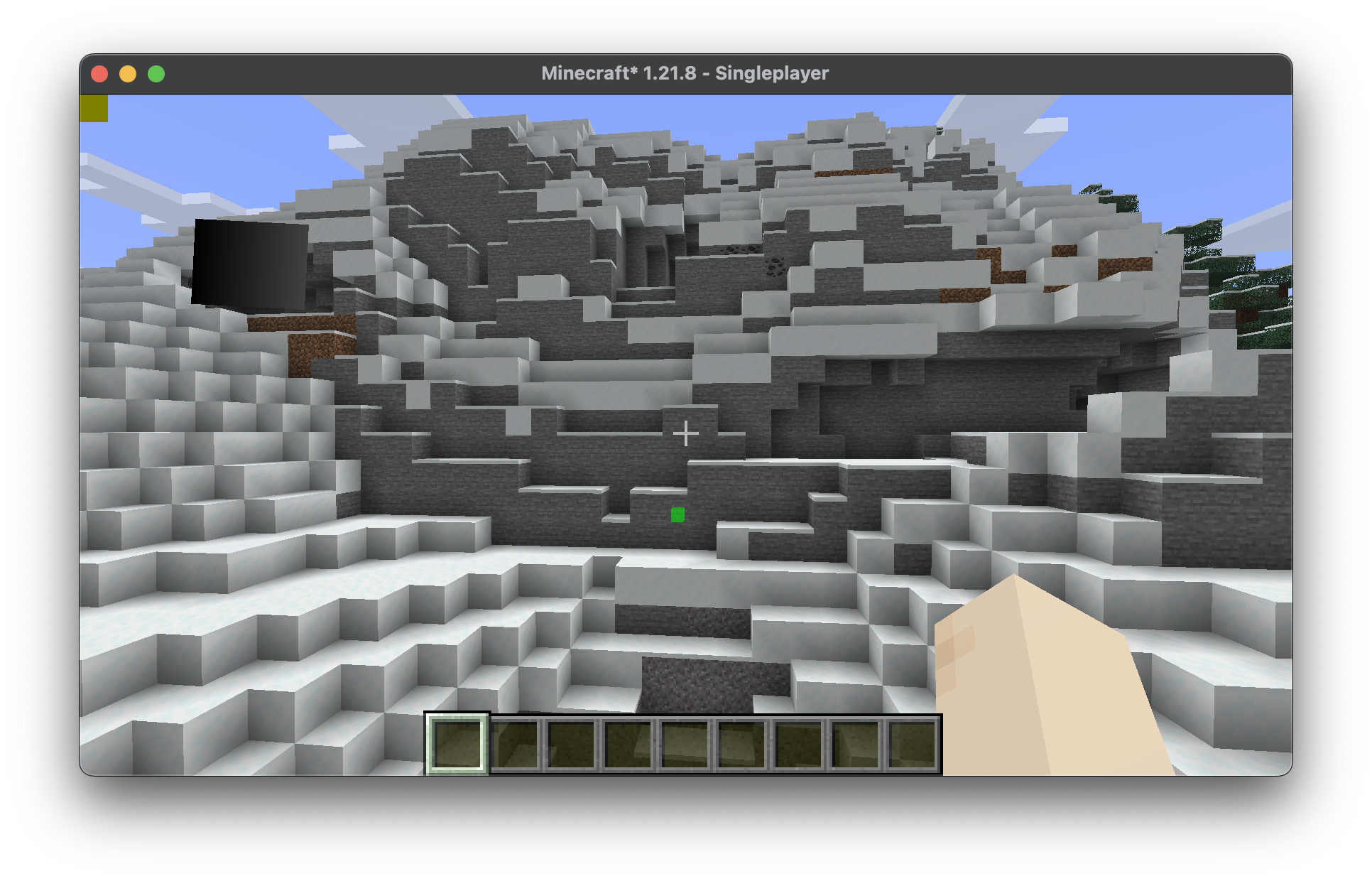
Combining all the steps from above, we get a simple class that renders a waypoint at (0, 100, 0) through walls.
java
package com.example.docs.rendering;

import java.util.Optional;
import java.util.OptionalDouble;

import com.mojang.blaze3d.PrimitiveTopology;
import com.mojang.blaze3d.buffers.GpuBufferSlice;
import com.mojang.blaze3d.pipeline.RenderPipeline;
import com.mojang.blaze3d.pipeline.RenderTarget;
import com.mojang.blaze3d.systems.RenderPass;
import com.mojang.blaze3d.systems.RenderSystem;
import com.mojang.blaze3d.textures.GpuTextureView;
import com.mojang.blaze3d.vertex.PoseStack;
import com.mojang.blaze3d.vertex.VertexConsumer;
import com.mojang.blaze3d.vertex.VertexFormat;
import org.joml.Matrix4f;
import org.joml.Matrix4fc;
import org.joml.Vector3f;
import org.joml.Vector4f;

import net.minecraft.client.Minecraft;
import net.minecraft.client.renderer.RenderPipelines;
import net.minecraft.client.renderer.StagedVertexBuffer;
import net.minecraft.client.renderer.rendertype.RenderType;
import net.minecraft.world.phys.Vec3;

import net.fabricmc.api.ClientModInitializer;
import net.fabricmc.fabric.api.client.rendering.v1.level.LevelExtractionContext;
import net.fabricmc.fabric.api.client.rendering.v1.level.LevelExtractionEvents;
import net.fabricmc.fabric.api.client.rendering.v1.level.LevelRenderContext;
import net.fabricmc.fabric.api.client.rendering.v1.level.LevelRenderEvents;

import com.example.docs.ExampleMod;

public class CustomRenderPipeline implements ClientModInitializer {
	private static final RenderPipeline FILLED_THROUGH_WALLS = RenderPipelines.register(RenderPipeline.builder(RenderPipelines.DEBUG_FILLED_SNIPPET)
			.withLocation(ExampleMod.id("pipeline/debug_filled_box_through_walls"))
			.withDepthStencilState(Optional.empty())
			.build()
	);
	private WaypointRenderState waypointState;

	private static final Vector4f COLOR_MODULATOR = new Vector4f(1f, 1f, 1f, 1f);
	private static final Vector3f MODEL_OFFSET = new Vector3f();
	private static final Matrix4f TEXTURE_MATRIX = new Matrix4f();
	private static final StagedVertexBuffer stagedBuffer = new StagedVertexBuffer(() -> "Waypoints Buffer", RenderType.SMALL_BUFFER_SIZE);


	@Override
	public void onInitializeClient() {
		LevelExtractionEvents.END_EXTRACTION.register(this::extractWaypoint);
		LevelRenderEvents.AFTER_TRANSLUCENT_TERRAIN.register(this::renderAndDrawWaypoint);
	}

	private void extractWaypoint(LevelExtractionContext context) {
		// Access data from the world or anything here in the extraction phase.
		// You can only access the (immutable and thread safe) render state in the drawing phase.
		this.waypointState = new WaypointRenderState(0, 100, 0, 0f, 1f, 0f, 0.5f);
	}

	private void renderAndDrawWaypoint(LevelRenderContext context) {
		RenderPipeline renderPipeline = CustomRenderPipeline.FILLED_THROUGH_WALLS;
		VertexFormat formatBinding = renderPipeline.getVertexFormatBinding(0);

		assert formatBinding != null;

		PrimitiveTopology primitive = renderPipeline.getPrimitiveTopology();
		StagedVertexBuffer.Draw draw = stagedBuffer.appendDraw(formatBinding, primitive, primitive == PrimitiveTopology.QUADS ? RenderSystem.getProjectionType().vertexSorting() : null);

		this.renderWaypoint(context, draw);

		stagedBuffer.upload();

		StagedVertexBuffer.ExecuteInfo info = stagedBuffer.getExecuteInfo(draw);

		if (info != null) {
			draw(Minecraft.getInstance(), info, renderPipeline);
		}

		stagedBuffer.endFrame();
	}

	private void renderWaypoint(LevelRenderContext context, StagedVertexBuffer.Draw draw) {
		PoseStack matrices = context.poseStack();
		Vec3 camera = context.levelState().cameraRenderState.pos;

		matrices.pushPose();
		matrices.translate(-camera.x, -camera.y, -camera.z);

		final var builder = stagedBuffer.getVertexBuilder(draw);

		this.renderFilledBox(matrices.last().pose(), builder, this.waypointState.x(), this.waypointState.y(), this.waypointState.z(), this.waypointState.x() + 1, this.waypointState.y() + 1, this.waypointState.z() + 1, this.waypointState.r(), this.waypointState.g(), this.waypointState.b(), this.waypointState.a());

		matrices.popPose();
	}

	private void renderFilledBox(Matrix4fc positionMatrix, VertexConsumer buffer, float minX, float minY, float minZ, float maxX, float maxY, float maxZ, float red, float green, float blue, float alpha) {
		// Front Face
		buffer.addVertex(positionMatrix, minX, minY, maxZ).setColor(red, green, blue, alpha);
		buffer.addVertex(positionMatrix, maxX, minY, maxZ).setColor(red, green, blue, alpha);
		buffer.addVertex(positionMatrix, maxX, maxY, maxZ).setColor(red, green, blue, alpha);
		buffer.addVertex(positionMatrix, minX, maxY, maxZ).setColor(red, green, blue, alpha);

		// Back face
		buffer.addVertex(positionMatrix, maxX, minY, minZ).setColor(red, green, blue, alpha);
		buffer.addVertex(positionMatrix, minX, minY, minZ).setColor(red, green, blue, alpha);
		buffer.addVertex(positionMatrix, minX, maxY, minZ).setColor(red, green, blue, alpha);
		buffer.addVertex(positionMatrix, maxX, maxY, minZ).setColor(red, green, blue, alpha);

		// Left face
		buffer.addVertex(positionMatrix, minX, minY, minZ).setColor(red, green, blue, alpha);
		buffer.addVertex(positionMatrix, minX, minY, maxZ).setColor(red, green, blue, alpha);
		buffer.addVertex(positionMatrix, minX, maxY, maxZ).setColor(red, green, blue, alpha);
		buffer.addVertex(positionMatrix, minX, maxY, minZ).setColor(red, green, blue, alpha);

		// Right face
		buffer.addVertex(positionMatrix, maxX, minY, maxZ).setColor(red, green, blue, alpha);
		buffer.addVertex(positionMatrix, maxX, minY, minZ).setColor(red, green, blue, alpha);
		buffer.addVertex(positionMatrix, maxX, maxY, minZ).setColor(red, green, blue, alpha);
		buffer.addVertex(positionMatrix, maxX, maxY, maxZ).setColor(red, green, blue, alpha);

		// Top face
		buffer.addVertex(positionMatrix, minX, maxY, maxZ).setColor(red, green, blue, alpha);
		buffer.addVertex(positionMatrix, maxX, maxY, maxZ).setColor(red, green, blue, alpha);
		buffer.addVertex(positionMatrix, maxX, maxY, minZ).setColor(red, green, blue, alpha);
		buffer.addVertex(positionMatrix, minX, maxY, minZ).setColor(red, green, blue, alpha);

		// Bottom face
		buffer.addVertex(positionMatrix, minX, minY, minZ).setColor(red, green, blue, alpha);
		buffer.addVertex(positionMatrix, maxX, minY, minZ).setColor(red, green, blue, alpha);
		buffer.addVertex(positionMatrix, maxX, minY, maxZ).setColor(red, green, blue, alpha);
		buffer.addVertex(positionMatrix, minX, minY, maxZ).setColor(red, green, blue, alpha);
	}

	private static void draw(Minecraft client, StagedVertexBuffer.ExecuteInfo info, RenderPipeline pipeline) {
		GpuBufferSlice dynamicTransforms = RenderSystem.getDynamicUniforms()
				.writeTransform(RenderSystem.getModelViewMatrixCopy(), COLOR_MODULATOR, MODEL_OFFSET, TEXTURE_MATRIX);

		RenderTarget mainTarget = client.gameRenderer.mainRenderTarget();
		GpuTextureView colorTexture = mainTarget.getColorTextureView();

		assert colorTexture != null;

		try (RenderPass renderPass = RenderSystem.getDevice()
				.createCommandEncoder()
				.createRenderPass(() -> ExampleMod.MOD_ID + " example render pipeline rendering", colorTexture, Optional.empty(), mainTarget.getDepthTextureView(), OptionalDouble.empty())) {
			renderPass.setPipeline(pipeline);

			RenderSystem.bindDefaultUniforms(renderPass);
			renderPass.setUniform("DynamicTransforms", dynamicTransforms);

			// Bind texture if applicable:
			// Sampler0 is used for texture inputs in vertices
			// renderPass.bindTexture("Sampler0", textureSetup.texure0(), textureSetup.sampler0());

			renderPass.setVertexBuffer(0, info.vertexBuffer().slice());
			renderPass.setIndexBuffer(info.indexBuffer(), info.indexType());

			// The base vertex is the starting index when we copied the data into the vertex buffer divided by vertex size
			renderPass.drawIndexed(info.indexCount(), 1, info.firstIndex(), info.baseVertex(), 0);
		}
	}

	public static void close() {
		stagedBuffer.close();
	}

	// Render states should be immutable, thread safe, and fast to create.
	private record WaypointRenderState(int x, int y, int z, float r, float g, float b, float a) { }
}Don't forget the GameRendererMixin as well! Here is the result: