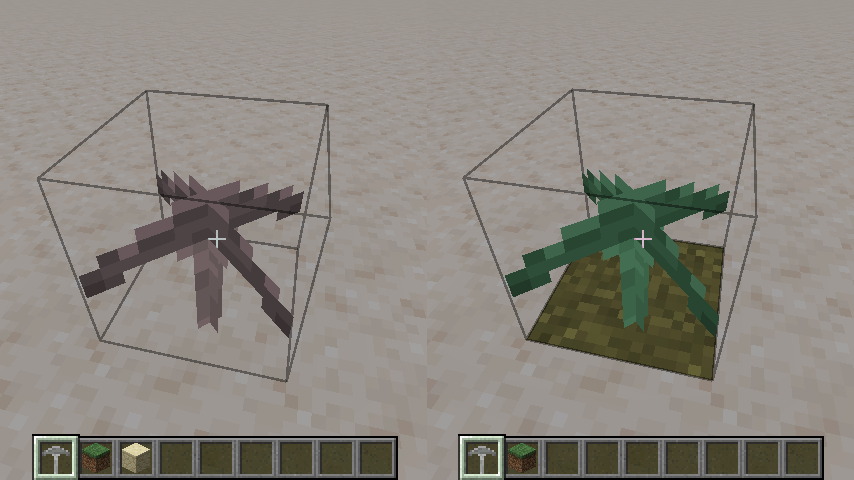
Block Tinting 26.2
Learn how to tint a block dynamically.
You may sometimes want the appearance of blocks to be handled specially in-game. For example, some blocks, like Grass, get a tint applied to them.
Let's take a look at how we can manipulate the appearance of a block.
For this example, let's register a block. If you are unfamiliar with this process, please read about block registration first.
java
public static final Block WAXCAP = register(
		ModBlockItemIds.WAXCAP,
		Block::new,
		BlockBehaviour.Properties.of()
				.noCollision()
				.instabreak()
				.offsetType(BlockBehaviour.OffsetType.XYZ)
);Make sure to add:
- A block state in
/blockstates/waxcap.json - A model in
/models/block/waxcap.json - A texture in
/textures/block/waxcap.png
If everything is correct, you'll be able to see the block in-game.
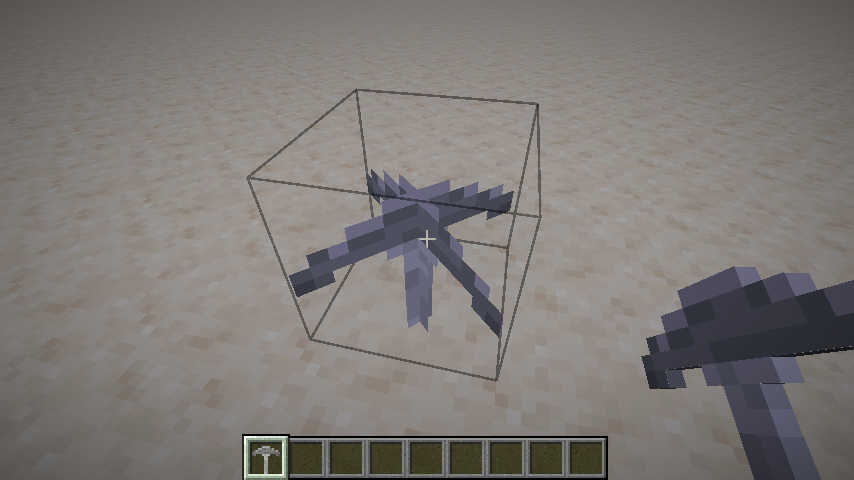
Block Tint Sources
Even though our block looks fine in-game, its texture is grayscale. We could dynamically apply a color tint, like how vanilla Leaves change color based on biomes.
Fabric API provides the BlockColorRegistry to register a list of BlockTintSources, which we'll use to dynamically color the block.
Let's use this API to register a tint such that, when our Waxcap block is placed on grass, it will look green, otherwise it'll look brown.
In your client initializer, register your block to the ColorProviderRegistry, along with the appropriate logic.
java
BlockColorRegistry.register(List.of(new BlockTintSource() {
	@Override
	public int colorInWorld(BlockState state, BlockAndTintGetter level, BlockPos pos) {
		BlockState stateBelow = level.getBlockState(pos.below());

		if (stateBelow.is(Blocks.GRASS_BLOCK)) {
			return ARGB.opaque(0x98FB98); // Color code in hex format
		}

		return ARGB.opaque(0xFFDAB9); // Color code in hex format
	}

	@Override
	public int color(BlockState state) {
		return ARGB.opaque(0xFFDAB9); // Color code in hex format
	}
}), ModBlocks.WAXCAP);Now, the block will be tinted based on where its placed.